

Voicemail can feel like that clingy friend who just won’t take a hint. You love them, but sometimes you just need a break. If your iPhone’s voicemail is driving you up the wall, you’re not alone. Many users find themselves wondering how to silence that persistent digital companion.
Understanding Voicemail on iPhone
Voicemail serves as a vital communication tool for many iPhone users. It allows callers to leave messages when recipients are unavailable, ensuring important information is not missed.
What Is Voicemail?
Voicemail is a system enabling users to record messages left by callers. Callers can access this feature when the recipient cannot answer or when the phone is turned off. Users retrieve their messages later, keeping them informed of missed calls. Various voicemail providers offer different features, enhancing user experiences by allowing customization like greetings and message storage limits.
How Voicemail Works on iPhone
Voicemail on iPhone functions through the carrier’s network, offering users a streamlined interface. When a call isn’t answered, the caller’s voice message is routed to voicemail. Users can access their messages through the Phone app’s Voicemail tab. Visual voicemail displays messages in order of receipt, allowing users to choose which ones to listen to first. Integration with features like notifications ensures users remain updated on new messages, improving communication efficiency.
Steps to Turn Off Voicemail on iPhone
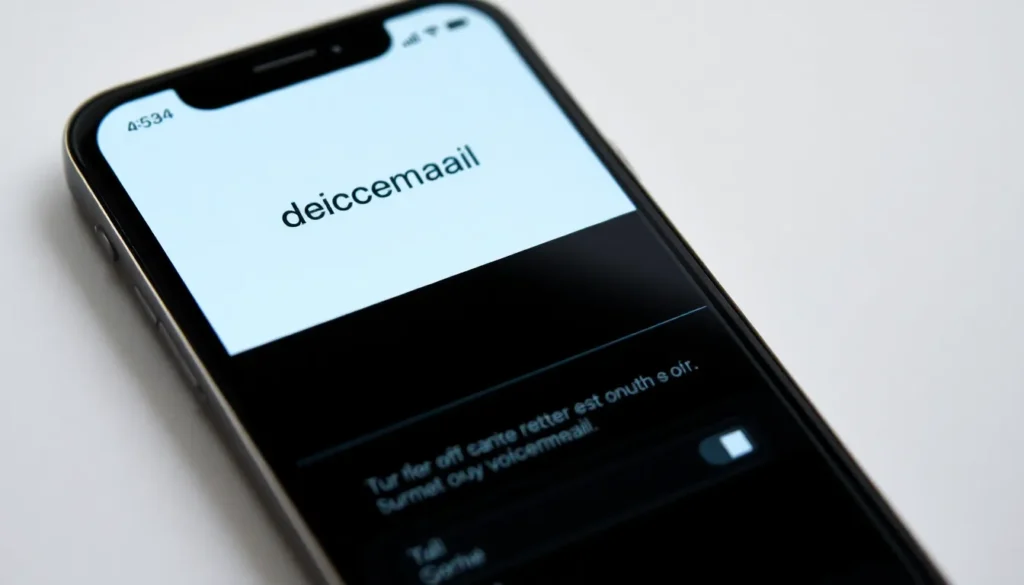
Turning off voicemail on an iPhone can simplify the user experience and reduce notification traffic. Follow these methods for quick adjustments.
Using the Phone App
Accessing voicemail settings through the Phone app is straightforward. Open the Phone app and select the “Voicemail” tab. Next, scroll down to find the “Greeting” option. Users can choose “Default” or “Custom” to adjust the voicemail greeting. If voicemail isn’t needed, users can switch to “Custom” and record a blank message or a short phrase. Ensure to save the changes. This action stops voicemail notifications while still allowing callers to leave messages if desired.
Disabling Voicemail Through Carrier Settings
Contacting the carrier often provides a definitive solution for disabling voicemail. Some carriers allow users to manage voicemail settings directly through their customer service. He or she can call the carrier’s support number or log into the carrier’s website. Select the account settings section and look for voicemail management options. Users may find an option to disable voicemail completely. Certain carriers may require account verification before making changes. Following through with these steps can effectively remove voicemail from the iPhone.
Troubleshooting Common Issues
Voicemail issues can frustrate users seeking a quieter experience on their iPhones. Identifying common problems helps in resolving them efficiently.
Voicemail Not Turning Off
Voicemail may persistently stay active despite trying to disable it. Check the settings first; ensuring all notifications are muted can help. If notifications still appear, restarting the device often resolves minor glitches. Users should consider accessing voicemail settings within the Phone app for further adjustments. Turning on Airplane Mode momentarily can also stop voicemail notifications. Finally, if issues continue, a software update might be necessary to eliminate bugs affecting voicemail functionality.
Carrier-Specific Problems
Carrier settings sometimes complicate voicemail management. Some providers have additional features or restrictions that affect disabling voicemail. Checking your carrier’s website can reveal specific instructions tailored for users. Contacting customer support can also provide personalized assistance regarding voicemail settings. Often, carriers have protocols for managing voicemail services that may not be available directly within the iPhone. Understanding these variables ensures effective resolution of voicemail concerns.
Alternatives to Voicemail
Users often seek alternatives to voicemail for a more streamlined communication experience. These options can reduce the clutter and improve message management.
Using Visual Voicemail
Visual voicemail offers a modern approach to managing messages. This feature enables users to view a list of received voicemail messages without having to listen to them in sequence. With visual voicemail, she can choose which messages to listen to first based on priority. Users can directly delete unwanted messages or save specific ones. This interface enhances accessibility and allows for efficient message handling, making it simpler to stay organized.
Third-Party Applications
Third-party applications present additional options for users wanting to bypass traditional voicemail. Various apps focus on message management, such as Google Voice or YouMail. These platforms often include features like transcribing voicemails into text, providing easier readability. Many third-party applications also allow users to customize greetings and tailor notification settings. Opting for these applications helps users streamline communication and eliminates the need for default voicemail systems.
Managing voicemail on an iPhone can lead to a more enjoyable and less intrusive communication experience. By following the outlined steps users can effectively turn off or customize their voicemail settings. Whether it’s changing greetings or contacting the carrier for complete voicemail deactivation, users have options to reduce notification clutter.
Exploring alternatives like visual voicemail or third-party apps can further enhance message management. These solutions not only streamline communication but also empower users to take control of their voicemail experience. With the right approach users can enjoy a quieter phone while still staying connected.


